If you are reading this because a grey screen just told you your account was suspended, start here: do not open a new account, do not submit five appeals, and do not delete the app. Those three reflexes are the ones that turn a recoverable suspension into a permanent loss. Everything else in this guide can wait an hour. Those three things cannot.
This is a working guide for people who run a business on Instagram, Facebook or TikTok: coaches, consultants, course sellers, agencies, and anyone whose pipeline depends on DMs. It covers what actually gets accounts suspended in 2026, the operating limits that keep you under the radar, and the exact recovery path once you are already locked out. It also explains, honestly, what our own platform does to prevent this and what it does not do.
We pulled the search data before writing this. Around 2,400 people a month in the US search "instagram account suspended" and another 3,600 search "instagram account disabled." Those two words describe different problems with different recovery paths, and almost every guide online treats them as synonyms. That single confusion is why so many appeals fail.
The short version
If you have thirty seconds, this is the whole guide compressed.
On prevention. The three things that get business accounts suspended most often are raw links sent into DMs at volume, the same message text sent to many people in a short window, and third-party tools that log into your account with your username and password instead of using Meta's official API. Fix those three and you have removed most of your risk. Volume alone is rarely the trigger. Volume plus repetition plus links is the trigger.
On the numbers. There is no published limit from Meta. Anyone quoting you an exact figure is guessing. What we can tell you is what we enforce in our own system based on observed behaviour across thousands of accounts: five DMs per minute per account, thirty per hour, and a hard pause if three sends happen inside ten seconds. Those are deliberately conservative. They are covered in detail below.
On recovery. If you see a suspension screen with a countdown, that countdown is almost certainly a data-deletion timer, not a sentence you wait out. Nothing good happens when it expires. You appeal once, properly, early, and you use the remaining time to escalate through other channels. If you see "disabled" instead, you are on a different and generally harder track.
On the appeal itself. One appeal, written plainly, that names the specific policy you are accused of breaking and gives concrete evidence you did not break it. Not an emotional letter. Not five submissions. Repeated identical appeals burn the limited review slots you get.
On the business. Assume for planning purposes that you may not get the account back. Export what you can, move your audience to channels you own, and keep operating. People who treat recovery as their only plan lose months. People who run recovery and continuity in parallel usually keep the revenue.
If you have already been suspended and want the full checklist as a document, plus a human to look at your specific case and tell you what most likely triggered it, we put together a recovery kit here. It is free and it is genuinely useful whether or not you ever use our software.
Suspended, disabled, restricted, action blocked, shadowbanned
These five words describe five different states. Using the wrong one when you appeal, or when you search for help, sends you down the wrong path entirely.
| State | What you see | What it means | Reversible? |
|---|---|---|---|
| Action blocked | "Action Blocked" popup when you like, follow or comment | A rate limit tripped. Temporary, automatic, usually hours to days | Almost always, by waiting |
| Restricted | Reduced reach, features removed, "account restricted" notice | A soft enforcement state. Some features disabled, account intact | Usually, over weeks of clean behaviour |
| Shadowbanned | No notice at all. Reach collapses, posts stop appearing in hashtags | Not an official Meta term. Describes distribution being throttled | Usually, but slowly and unpredictably |
| Suspended | Full-screen notice, often with a countdown, appeal button | Account locked pending review. Data retained for now | Sometimes, via appeal |
| Disabled | "Your account has been disabled for violating our terms" | Account removed. Generally a harder enforcement action | Sometimes, but the path is narrower |
The practical difference between the last two matters enormously.
Action blocked is not an enforcement action against your account, it is a speed limit. If you liked ninety posts in ten minutes or followed sixty accounts in an hour, Instagram stops you. It resolves itself. The correct response is to stop the behaviour and wait. The incorrect response, which we see constantly, is to switch to a different device or network to "get around" it, which converts a rate limit into a genuine evasion signal.
Restricted and shadowbanned are reach problems, not access problems. You still have your account. If your reach fell off a cliff and you are not sure whether you are actually restricted or simply had a bad content month, that is a measurable question rather than a vibe. We built a free shadowban checker for exactly this, and it will tell you whether your content is actually being suppressed before you start rewriting your whole strategy.
Suspended means locked out with a review process attached. Disabled means the account has been actioned as removed. In practice Meta's own interfaces use these words inconsistently, and the screen you see depends on your region, your app version, and which system flagged you. Read the actual text of your notice rather than the word in the headline. If it names a specific policy, that policy name is the single most useful piece of information you have, and your entire appeal should be built around it.
What the "180 days" screen actually means
This is the part most guides get wrong, and getting it wrong costs people their accounts.
Many suspended users in 2026 see a screen mentioning 180 days. The natural reading is "my account is suspended for 180 days, and in six months I get it back." That reading is wrong and it is expensive.
The 180 days is a data retention countdown. It is how long Meta holds your account data before deleting it permanently. Nothing is automatically restored when it expires. If you sit and wait for six months, what happens at the end is deletion, not reinstatement. As Influish put it in their breakdown of the screen, the countdown is a deletion clock rather than a suspension length.
Worse, the window that actually matters is usually shorter than the one on screen. Multiple recovery practitioners report an effective appeal window of around 30 days sitting inside the 180, after which your appeal options narrow sharply even though the data is still technically retained. Some describe this as regional, with a shorter practical window in the US and a longer one in the EU and UK where the Digital Services Act imposes obligations on how platforms handle content and account decisions.
It is worth being precise about the limits of this knowledge. Meta's own Help Center does not document a 180-day suspension policy. The number appears on user-facing screens and is widely reported, but it is not published as policy with defined terms. That means nobody writing about it, including us, can tell you authoritatively what happens on day 181 in your specific jurisdiction. What everyone who works on these cases agrees on is the operational conclusion:
Treat the countdown as short. Appeal in the first days, not the first months.
The other thing the screen does not tell you: do not create a replacement account while an appeal is pending. Meta associates accounts by IP address, device identifiers, phone numbers and email. A new account created during an active enforcement action can be read as ban evasion, which is a separate and more serious violation. It can also get the new account removed and prejudice the appeal on the original.
Why 2026 is different
If it feels like this is happening to more people than it used to, that is because it is, and it is documented.
Through 2025 and into 2026, Meta shifted the bulk of its content and account moderation onto automated systems while reducing human review capacity. TechCrunch reported in June 2025 that Instagram users had complained for weeks about a significant increase in accounts being mistakenly banned or suspended, with many pointing at AI moderation. Meta declined to offer an on-record statement for that story.
The pattern continued and broadened. Reporting through 2026 described account purges at a scale of millions, with Meta framing the removals as targeting bots, spam networks and fake engagement. The uncomfortable detail for legitimate businesses is that the classifiers that catch spam networks also catch behaviour that looks statistically like a spam network, and a coach sending forty similar DMs with a booking link in them looks, to a classifier, quite a lot like a spam network.
Meta has publicly defended the systems, arguing its newer models make roughly 13% fewer errors and catch about 10% more violations than human reviewers, and that many of the widely-reported wrongful bans came from older moderation systems rather than current ones. Both things can be true simultaneously: the average error rate improves while the absolute number of wrongly-suspended people grows, because the volume being processed grew far faster.
Two structural problems make this harder to recover from than it used to be:
Appeals are often reviewed by the same class of system that made the original decision. Meta's own Oversight Board has criticised the process on due-process grounds, noting that automated appeal review means the system that erred gets to confirm its own error, and that non-English speakers are disproportionately affected.
There is no reliable route to a human. Users report appeals going unanswered entirely. Some report that Meta Verified provides faster access to a human reviewer, which creates an uncomfortable two-tier structure, though plenty of Verified subscribers report no better outcome during mass-ban waves.
The most instructive documented cases are the ones where accounts came back only after a journalist made an inquiry, including a photographer locked out of her business page for eight months before Meta acknowledged a technical error. That is not a process you can rely on. It is a reason to make sure your business does not have a single point of failure sitting inside someone else's moderation queue.
There is also a well-documented failure mode around child-safety classifiers. In 2025 Meta faced significant backlash in South Korea after mass suspensions where automated systems falsely flagged users for child sexual exploitation violations, and Meta Korea's public policy director publicly acknowledged a technical error. Similar false flags on ordinary family, fitness and business content continued to be reported into 2026. If you have been flagged under this category and you know the content was innocuous, that is a known systemic failure and it is worth pursuing hard rather than assuming you did something wrong.
Why business accounts get hit harder
A personal account posting holiday photos and a coaching account running a DM funnel produce completely different behavioural signatures. Almost everything that makes a business account effective also makes it look, to an automated classifier, more like spam.
You message strangers. A personal account mostly messages people it already talks to. A business account initiates conversations with people who have never messaged it before. Cold-initiated conversation is one of the strongest spam signals there is.
You send links. Personal accounts rarely send URLs. Business accounts send booking links, checkout links, lead magnet links, calendar links. Links are the single highest-risk element you can put in a DM.
You repeat yourself. A funnel by definition sends similar messages to many people. That is the entire point of a funnel. It is also the textbook definition of the bulk-messaging pattern spam detection is built to catch.
You send in bursts. A comment goes viral, four hundred people comment the keyword, and your automation tries to reply to four hundred people in twenty minutes. To a rate-limiting system this is indistinguishable from a compromised account being used to blast spam.
Your content makes claims. Coaching, info products, health, fitness and finance content sits in categories with heightened scrutiny. Income claims, body transformation content, and anything that reads as a health or financial promise attracts classifier attention that a travel blog never will.
You connect third-party tools. Every integration is a surface. The ones that use Meta's official API are fine. The ones that ask for your Instagram username and password are a serious risk, discussed below.
None of this means you should stop running a business on Instagram. It means the margin for error is thinner for you than for a casual user, and the operating discipline has to be correspondingly tighter.
The nine things that actually trigger suspensions
Ranked roughly by how often we see them as the proximate cause.
1. Raw links sent into DMs at volume
This is the big one, and it is the one people underestimate most.
A link in a DM does several risky things at once. It moves the user off-platform, which platforms structurally disfavour. It is the payload in essentially every real DM spam campaign, so it carries enormous prior probability of being spam. And crucially, the reputation of the destination domain is not fully under your control.
That last point catches honest people constantly. If you use a link shortener, your link now shares a domain with every scam that used the same shortener. If you send a link to a page hosted on a platform that has hosted phishing, you inherit some of that. If a domain you link to gets compromised or expires and gets re-registered by someone unpleasant, links you sent months ago now point somewhere dangerous.
What to do instead:
- Send the first message with no link at all. Ask a question. Get a reply. A link sent into a conversation the person is already participating in is dramatically safer than a link sent cold.
- Avoid generic shorteners entirely. If you need tracking, use a custom domain you control.
- Check your destination domains against a reputation service before you put them in a funnel, not after.
- Never send a link in the very first message of a cold outreach sequence. This single rule prevents more suspensions than anything else on this list.
2. DM volume beyond what a human could plausibly send
There is no published limit. There is, however, a plausibility threshold: at some rate, no human could be typing these.
The failure mode is almost always bursty rather than sustained. Someone runs a giveaway, a post does unusually well, and their automation attempts several hundred sends in a short window. Sustained moderate volume is far safer than an identical total delivered in a spike.
Our own enforced limits, which are deliberately conservative, are covered in the limits table below.
3. Identical message text sent to many recipients
Volume with variation is much safer than volume without it. Two hundred DMs that are all byte-identical is a far stronger spam signal than four hundred that vary.
This is measurable and it is what content-repetition detection looks for: the same message hash going to many different recipients inside a short window. Our own system tracks exactly this, across a five-minute, one-hour and twenty-four-hour window, and separately watches for the same text reaching five or more distinct recipients within ten minutes.
The fix is straightforward. Use merge fields that genuinely vary the text, not just a first name at the front. Write three or four variants of every funnel message and rotate them. Reference something specific to the person where you can.
4. Posting velocity and engagement velocity
Going from three posts a week to fifteen a day is a behaviour change large enough to be noticed. So is a sudden jump in follows, likes or comments, which is what triggers most "action blocked" messages.
Ramp gradually. If you are scaling output, scale it over weeks.
5. Restricted and sensitive content categories
Income claims, health and body transformation claims, financial advice, supplements, anything adjacent to adult content, and anything that can be read as a guaranteed outcome. Coaching and info-product businesses live disproportionately in these categories.
Language matters more than you would expect. "Make $10k/month guaranteed" and "how I built a $10k month" are treated very differently by classifiers even though a human reads them similarly.
6. Bought followers, engagement pods and fake engagement
Meta's 2026 purges were explicitly framed around bots, spam and fake engagement. If you bought followers three years ago and forgot about it, that history is still attached to the account.
If you are unsure what proportion of your audience is inauthentic, check the account with a follower audit before you assume you are clean. Inherited or purchased followers on an account you bought from someone else are a common hidden cause.
7. Tools that log in with your username and password
This deserves its own warning.
There are two ways a tool can act on your Instagram account. It can use Meta's official Graph API, where you authorise it through Meta's own OAuth screen and Meta knows exactly which app is acting and within what permissions. Or it can log in as you, storing your username and password and driving the account by automating the interface.
The second category is the single highest-risk thing you can attach to a business account. From Meta's side it is indistinguishable from a credential-stuffing attack or a compromised account: an unfamiliar server, in an unfamiliar location, logging into your account and performing actions at machine speed. It also violates Meta's terms directly.
Multiple 2026 ban-wave analyses converge on this as a common trigger. If a tool asked for your Instagram password rather than sending you through Meta's authorisation screen, disconnect it, change your password, and review active sessions.
Our platform uses the official Graph API. We never ask for your Instagram password, because we cannot use it and would not want the liability of holding it.
8. Follow/unfollow and mass engagement automation
Follow/unfollow at scale, mass liking, and automated commenting are the oldest growth hacks on the platform and the most reliably detected. They also produce the "action blocked" state most frequently, which then escalates if you keep going.
9. Evasion signals
Creating a new account while suspended. Switching networks or devices to work around a block. Running multiple accounts from one device in ways that look coordinated. Each of these converts a recoverable situation into a much worse one.
Safe operating limits
Nobody outside Meta knows the real thresholds, and they change. What follows is what our platform actually enforces, in code, before a message is ever sent to Meta. We publish it because it is more useful to have a conservative number than no number.
| Control | Limit | Scope | What happens at the limit |
|---|---|---|---|
| Sends per minute | 5 | Per connected account | Send is held, then blocked |
| Sends per hour | 30 | Per connected account | Send is held, then blocked |
| Burst detection | 3 sends in 10 seconds | Per connected account | 60-second forced cooldown |
| Daily send cap | 200 | Per agency, configurable | Sends blocked for the rest of the day |
| Repetition, 5 min | Same text 3 times | Per account | Flagged and logged |
| Repetition, 1 hour | Same text 5 times | Per account | Flagged and logged |
| Repetition, 24 hours | Same text 10 times | Per account | Flagged and logged |
| Bulk pattern | Same text to 5+ recipients in 10 min | Per account | Flagged and logged |

Two honest notes on that table.
First, the rate limits fail closed. If the system that tracks them cannot be reached, sends are blocked rather than allowed through unmetered. That occasionally frustrates people who want their campaign to go out right now. It is the correct trade: a delayed message costs you an hour, an unmetered blast can cost you the account.
Second, the repetition rows say "flagged and logged" rather than "blocked", and that distinction is deliberate and real. Content-repetition detection currently runs in observation mode in our production system. It records the signal and surfaces it rather than hard-blocking the send. We changed it to observation mode after it blocked legitimate funnel messages, because a funnel sending the same lead magnet message to everyone who commented a keyword is, by design, repetitive. Volume remains bounded by the rate limits and the daily cap above, which do block. We would rather tell you exactly how this works than imply a protection that is not currently switched on.
Beyond our own limits, there are platform rules worth knowing because they are published and authoritative:
The 24-hour messaging window. Meta's Messenger Platform messaging policy states that businesses have "up to 24 hours to respond to a user", and that "messages sent within the 24-hour window may contain promotional content." Outside that window, promotional messaging is not permitted without an approved tag.
The human agent exception. The Human Agent tag lets a business "manually respond to user messages within a 7-day period." This is for genuine human replies, not automation, and misusing it is its own risk. The same 24-hour rule appears in Instagram's own messaging API documentation: "Your app has 24 hours to respond to any message sent from an Instagram user to your app user."
The 30-second response rule. Meta's policy also requires that "automated bots must respond to user input within 30 seconds", and that bots respond to any and all user input. A funnel that leaves people hanging is a policy problem, not just a UX problem.
The first 24 hours after a suspension
Order matters here. Do these in sequence.
Hour zero: stop everything. Disconnect every third-party tool from the account. Pause every automation. If a tool keeps attempting sends against a suspended account, those failed attempts are additional signal, and if the account is restored mid-queue you do not want a backlog firing at once.
Screenshot everything. The suspension notice, in full, including any policy name and any reference number. The appeal screen before you submit. Any email Meta sent. These matter later, particularly if you escalate to a regulator, and the screens are not always retrievable afterwards.
Identify the specific policy. Somewhere in the notice there is usually a policy category. "Community Guidelines", "spam", "inauthentic behaviour", "impersonation", "child safety". This determines everything about how you appeal. An appeal that does not address the specific accusation reads as generic and gets treated as such.
Request your data. If you still have any access path, request a data export. This gets you your content, and in some cases your follower list and message history. Do this early because access can narrow.
Submit exactly one appeal. Click "Disagree with decision" if that is offered. Fill it in carefully. Then stop. Do not submit again tomorrow because you have not heard back. Repeated identical appeals consume your limited review opportunities and can be treated as abuse of the system.
Verify your identity if asked. Many recovery paths now involve a short video selfie or ID check. Do it properly, in good light, following the instructions exactly. A failed verification is a wasted attempt.
Do not create a new account. Not on a new email, not on a new phone, not on a friend's device. This is the single most common self-inflicted escalation.
Tell your audience somewhere else. Email list, WhatsApp, a second platform. Two sentences: the account is under review, here is where to find us meanwhile. This is also the moment you discover whether you actually have a channel you own.
Start the continuity plan. Assume a real possibility you do not get it back. Not because that is likely in every case, but because the businesses that survive this are the ones that ran recovery and continuity in parallel rather than sequentially.
If you want this as a checklist you can work through, with the appeal templates and the escalation routes, it is in the recovery kit.
How to write an appeal that gets read
Assume your appeal gets somewhere between fifteen seconds of human attention and none at all. Write accordingly.
Be specific about the accusation. Open by naming what you were flagged for. "My account was suspended for spam" tells the reviewer you read the notice. A generic plea tells them you did not.
Be concrete, not emotional. "This account is my livelihood and I have worked on it for six years" is true and it is irrelevant to whether a policy was violated. It appears in almost every appeal, so it carries no information. Replace it with facts a reviewer can check.
Give checkable specifics. What the account does. Who the business serves. That messages are sent through Meta's official API via an authorised partner application. That no third-party login tool has ever had credentials. Concrete, verifiable, unusual.
If it is a false positive, say what the content actually was. Particularly important for the child-safety misclassifications, which are documented and systemic. "The flagged post is a photograph of my own children at a swimming lesson, posted to a family account, and I believe it was matched in error" is a reviewable claim.
Acknowledge anything real. If you did buy followers in 2022, or you did run a follow/unfollow tool for a month, a brief acknowledgment plus what you changed reads as credible. Reviewers see denial constantly.
Keep it short. Under 200 words. One screen.
Ask for one thing. Human review. Not sympathy, not an explanation, not compensation.
Here is a workable skeleton:
My account @handle was suspended on [date] for [exact policy named in the notice]. I believe this was an error.
The account is the business account for [one line on what the business does]. All messaging is sent through Meta's official Graph API via an authorised Business Partner application. No tool has ever had my account password, and I have never used follow/unfollow or engagement automation.
[One or two sentences on the specific content or behaviour flagged and why it was legitimate.]
I am requesting human review of this decision. I am happy to provide business verification documents.
If the first appeal fails, escalation routes that occasionally work, roughly in order: the Meta Business Support channel if you have ever run ads, since ad accounts have a different support path; Meta Verified for the human-review access, with the caveat that many report it not helping during mass waves; a data protection authority complaint if you are in the EU or UK, where the DSA and GDPR give you rights around automated decision-making and the right to human review; and small-claims or formal legal notice, which is slow but occasionally produces movement.
If your account is disabled rather than suspended
"Disabled" generally indicates the account has been actioned as removed rather than held for review, and the path is narrower.
The mechanics of the appeal are similar, but three things change. The form is different, usually a dedicated disabled-account appeal form rather than an in-app button. Identity verification is more often required. And the timeline is less forgiving, since the deletion clock is already running.
The most important practical difference: with a disabled account you frequently cannot access the app at all, so you cannot screenshot from inside it and you cannot export your data. Anything you did not already have, you likely do not get. This is the strongest possible argument for exporting your follower list and content on a schedule while everything is fine.
If your account was disabled for a reason you genuinely do not recognise, and particularly if it names a severe category like child safety, treat it as a probable classifier error and appeal on those grounds specifically. The South Korea incident and its 2026 continuations establish that these errors happen at scale and that Meta has acknowledged at least some of them.
Facebook Pages, profiles and Business Manager
Meta's enforcement is entangled across products in ways that surprise people.
Your personal profile is load-bearing. Pages, ad accounts and Business Manager assets are administered by personal profiles. If your personal profile gets disabled, you lose access to everything you administer, even though the Page itself did nothing wrong. Around 90 people a month search "facebook account suspended because of instagram", which tells you how common the cross-product cascade is.
The defensive move is simple and almost nobody does it: make sure every Page and ad account has at least two admins on separate personal profiles, with separate emails and separate devices. If one goes down, the other retains access. This costs nothing and it is the difference between an inconvenience and a catastrophe.
Unpublished Pages are a distinct state from disabled ones, usually reversible through the Page Quality tab, which will show you what was actioned and why. Check there first, it is more informative than the generic appeal flow.
Ad account disablement has its own appeal route and, unusually, an actual support channel with humans. If you have ever spent money on ads, that support path is often your best route to a human reviewer for adjacent problems too.
Business Manager restrictions cascade hardest. A restricted BM can take down every Page, pixel and ad account inside it. If you run client assets, this is the failure mode that turns your problem into your clients' problem, which is why agencies should hold client assets in the client's own Business Manager with agency access granted, rather than owning them outright.
TikTok bans and the strike system
TikTok's system is more transparent than Meta's, which makes it easier to work with.
Enforcement runs on strikes. Content that violates a Community Guideline is removed and the account accrues a strike. Strikes are tracked per policy area and per product feature, so comment strikes and LIVE strikes count separately from posting strikes.
Three things worth knowing, from TikTok's own newsroom announcement:
Strikes expire after 90 days, provided you have not hit a permanent ban threshold before then. You will see a widely-repeated claim online that TikTok runs a flat three-strike policy. That conflicts with TikTok's own description of variable per-policy thresholds, where a stricter threshold applies to high-harm categories than to low-harm spam.
Some violations are permanent on the first strike. Promoting or threatening violence, child sexual abuse material, and depicting real-world violence or torture. There is no strike accumulation for these.
Appeals get a human. TikTok states that a member of its safety team re-reviews the original decision, which is a meaningfully better position than automated appeal review. If the appeal succeeds, the content is restored and the penalty is removed.
You can see your standing at any time under Settings and Privacy, then Support, then Safety Center, then Account Status. Check it monthly. Unlike Meta, TikTok will actually tell you where you stand before it becomes a crisis.
TikTok has no equivalent of Instagram's DM funnel culture, so the suspension causes skew towards content rather than messaging: unoriginal or reposted content, misleading claims, and the same restricted categories around health, finance and body image that cause problems on Meta.
Protecting the business while you wait
Appeals take weeks. Sometimes months. The business does not pause.
Get your audience somewhere you own. Email and SMS are the only channels no platform can take from you. If you are reading this before a suspension, this is the single highest-value thing you can do this week. If you are reading it after, do it with whatever audience you can still reach.
Keep selling through other channels. If you had a waitlist, a WhatsApp group, a Facebook group, a YouTube channel, a newsletter, this is what they are for.
Tell people what happened. Plainly and without drama. Customers are broadly sympathetic to platform problems. Silence looks worse than the suspension.
Do not rebuild on the same fragile foundation. If your entire pipeline was one Instagram account, the lesson is not "be more careful next time", it is "never again have one account be the whole business."
Document your revenue impact. If you eventually escalate legally or through a regulator, concrete losses are the difference between a complaint and a case.
If the appeal fails: rebuilding without getting re-banned
If you have genuinely exhausted appeals, rebuilding is possible, but the way most people do it gets the new account removed within weeks.
Wait until the enforcement action is fully closed. Building while an appeal is live is ban evasion.
Use genuinely separate identity. Different email, different phone number. Trying to spoof device or network identity is itself a risk signal, so do not go down the anti-detect browser route, which is a large part of why those vendors rank so well for these search terms.
Start slow and human. Post normally for several weeks before any automation. Build real conversation history before any funnel. New accounts have essentially no trust budget.
Do not import the pattern that got you banned. If the trigger was cold DMs with links at volume, rebuilding the identical funnel on a new account produces the identical outcome, faster, because new accounts are held to tighter thresholds.
Change the funnel shape. Move the link out of the first message. Get replies before you get clicks. Slow the sends down.
How our guardrails actually work
This is the part where I tell you what our platform does, including where it stops.
We built these controls because our customers are exactly the people this article is about: coaches, agencies and info businesses running DM funnels, who cannot afford to lose the account. Every control below is running in production right now.
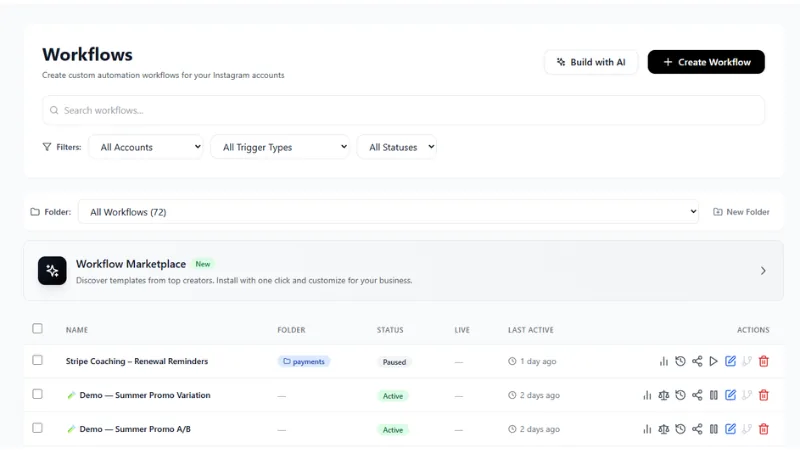
We use Meta's official API, never your password. You connect through Meta's own authorisation screen. We never see, ask for, or store your Instagram credentials. This alone removes what several 2026 ban-wave analyses identify as the most common trigger.
Pre-send rate limiting, enforced in code. Every send passes through the limiter described in the table above before it reaches Meta: five per minute, thirty per hour, a 60-second cooldown if three sends land inside ten seconds, and a configurable daily cap defaulting to 200 per agency. It fails closed. If we cannot verify you are under the limit, the message does not go.
Pre-send content scanning. Outbound messages are scanned before sending against keyword rules, regex patterns, a link registry and the opt-out register. The scan runs in under 10 milliseconds so it does not slow your funnel down, and it fails open, meaning if the scanner is unavailable your messages still send. That is the opposite trade-off from the rate limiter, and it is deliberate: an unscanned message is a small risk, an unmetered blast is a large one.
Link reputation checking. This is the one most tools do not have. Every URL is checked against Google Safe Browsing, plus heuristics for the tricks that reputation databases miss: raw IP addresses, punycode and internationalised-domain homograph attacks, and URL shorteners, which we unwrap and check the real destination of. Suspicious-but-unmatched URLs go to deeper asynchronous analysis and can be flagged retroactively.
This matters more than it sounds. The most common way a careful business gets burned by links is not sending something obviously bad, it is sending a shortened link whose destination they never verified, or linking a domain that was clean when the funnel was built and is not clean now.
Audience filtering, so you send fewer messages. This is the least obvious control and possibly the most effective.
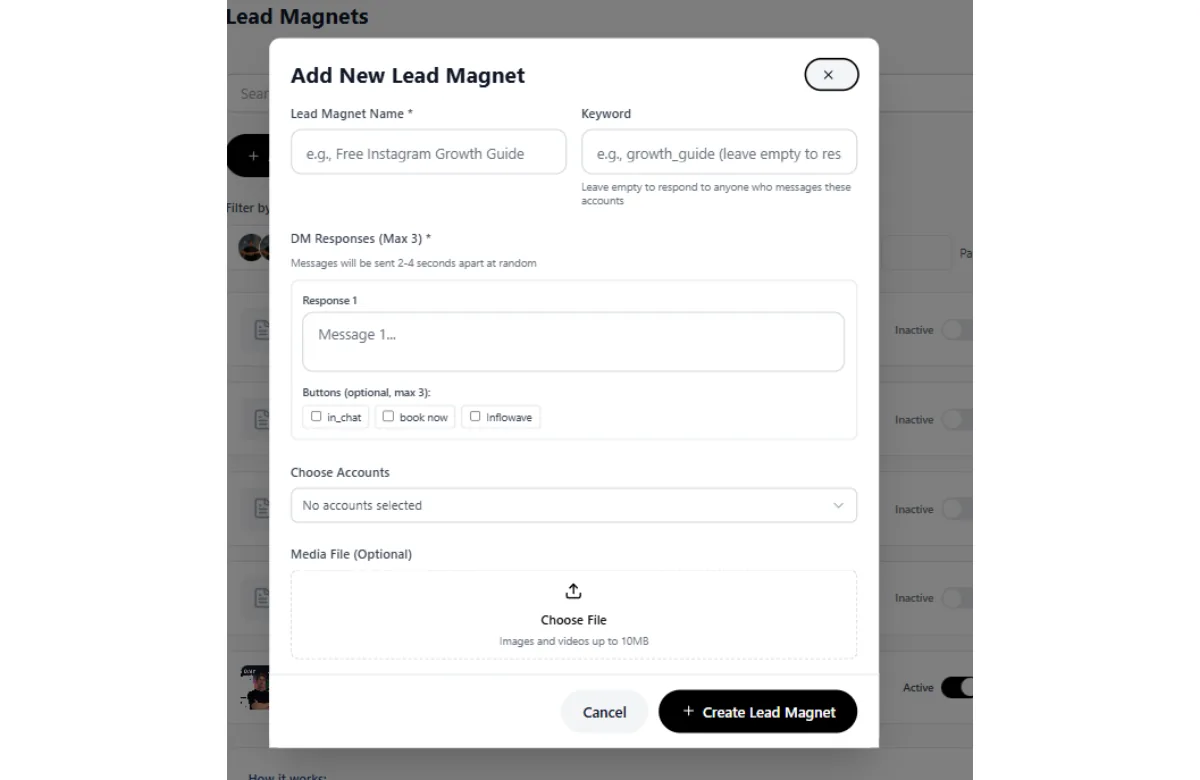
Most DM automation fires at everyone who comments on a post. If four hundred people comment and only sixty are actually interested in your lead magnet, the other 340 messages are pure risk with no return. Keyword and condition filters on the trigger mean only people who actually matched your criteria get messaged. Fewer messages, better-qualified recipients, materially lower suspension risk, and usually a better conversion rate because you are not spraying.
The honest framing: the safest message is the one you did not need to send. Filtering is how you send fewer.
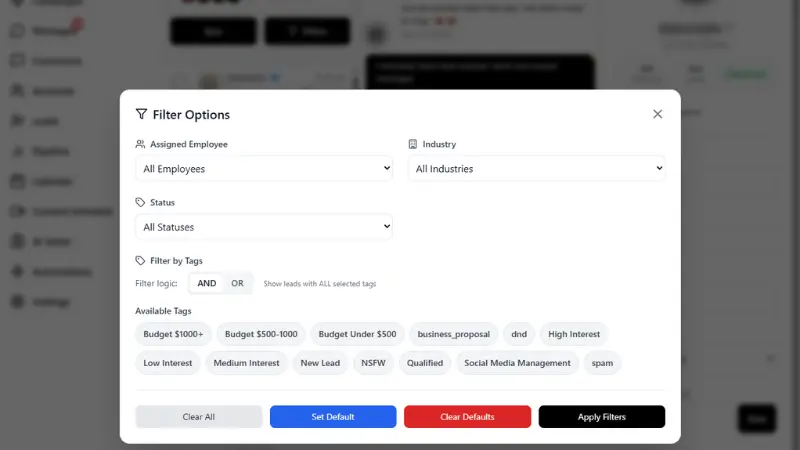
Quiet hours, enforced by law not preference. For marketing SMS and voice, we enforce an 8am to 9pm window in the recipient's local timezone, always on, because that is what the US TCPA requires. If we cannot determine the recipient's timezone, we do not send. Genuine appointment reminders are exempt as transactional. This is a legal exposure most DM-funnel businesses do not realise they have when they add SMS.
Repetition detection, in observation mode. As stated in the limits section: we track content repetition across 5-minute, 1-hour and 24-hour windows and watch for identical text reaching 5+ distinct recipients within 10 minutes. It currently logs and surfaces rather than blocks, because blocking broke legitimate funnels. Volume is still bounded by the rate limits, which do block.
What we do not do. We cannot stop Meta suspending you. Nobody can. We cannot get an account back for you, and any vendor promising guaranteed recovery is selling something they cannot deliver. We do not review your content for policy compliance in any category sense: if you make income claims in your posts, our link scanner will not save you. And our controls only cover messages sent through us. If you are also running a separate password-based tool, that risk is untouched by anything we do.
What to ask any automation tool before you connect it
Rather than a competitor takedown, here are the questions that actually separate tools. Ask them of us too.
| Question | Why it matters | What a good answer looks like |
|---|---|---|
| Do you use the official Graph API or log in as me? | Password-based tools are the single highest-risk category | Official API only, via Meta's OAuth screen |
| Do you rate-limit sends before hitting Meta? | Without this, a viral post can blast hundreds of messages in minutes | Specific published numbers, enforced in code |
| What happens if your rate-limit store goes down? | Fail-open means unmetered sends during an outage | Fails closed |
| Do you check the reputation of links I send? | Domain reputation is the trigger people never see coming | Yes, with shortener unwrapping |
| Can I filter who receives an automated DM? | Fewer, better-targeted sends is the strongest lever you have | Keyword and condition filters on triggers |
| Do you handle the 24-hour messaging window correctly? | Sending promotional content outside it is a policy violation | Yes, with correct tag handling |
| Do you enforce quiet hours for SMS? | TCPA exposure is real and expensive | Recipient-local, always on |
| Are you a Meta Business Partner? | Partner status means an actual relationship with the platform | Verifiable in Meta's partner directory |
ManyChat, for the record, is an official Meta Business Partner and uses the official API, so on the first and last questions it is fine. The questions where tools genuinely diverge are the middle ones: pre-send rate limiting with published numbers, fail-closed behaviour, link reputation checking, and audience filtering before send. Those are the controls we built the platform around, and they are worth asking about wherever you end up.
Mistakes that make it worse
Collected from cases we have watched go badly.
Creating a new account immediately. Ban evasion. Costs you both accounts.
Appealing repeatedly. Burns your review slots and reads as abuse.
Writing an emotional appeal. Every appeal says the account is a livelihood. It carries no information.
Using a paid "recovery service" that promises guaranteed results. Many of the sites ranking for these searches are recovery vendors. Some are legitimate escalation consultants. Guaranteed recovery is not a thing anyone can sell, because the decision is Meta's.
Using an anti-detect browser to get back in. Two of the top-ranking results for "instagram account suspended" are anti-detect browser vendors, for obvious commercial reasons. Deliberately spoofing device and browser fingerprints during an active enforcement action is evasion.
Deleting the app or the account. Deleting your side of it can close recovery paths permanently.
Turning automation back on the moment access returns. A restored account is on a very short leash. Go manual for at least two weeks.
Assuming it will not happen again. A restored account with the same funnel and the same volume gets actioned again. The restoration is the warning.
Frequently asked questions
How long does an Instagram suspension last?
There is no fixed duration, and this is the most common misunderstanding. A suspension is not a timed penalty that expires. It is a lock pending review. The countdown you may see, commonly 180 days, is a data-retention clock indicating how long your data is held before permanent deletion, not a sentence you serve. Nothing is automatically restored when it ends. Accounts come back when an appeal succeeds, which can be days or months, or they do not come back at all. Anyone telling you "wait 30 days and it will lift" is describing action blocks, which are genuinely temporary, not suspensions.
Is the 180 days a suspension length or a deletion countdown?
A deletion countdown. Meta retains your account data for that period, after which it can be permanently removed. Meta's Help Center does not publish a documented 180-day suspension policy, which is part of why the screen causes so much confusion. Practitioners who handle these cases report that the window in which an appeal is realistically actionable is considerably shorter than the full 180 days, potentially around 30 days, and may vary by region given EU and UK obligations under the Digital Services Act. Operationally the conclusion is the same regardless: appeal in the first days, not the first months.
How many DMs can I safely send per day on Instagram?
Meta publishes no figure. Our platform enforces five per minute and thirty per hour per connected account, with a default daily cap of 200 per agency. Those are conservative by design. The more useful framing is that the shape of your sending matters more than the total. Two hundred messages spread evenly across a day with varied text is far safer than the same two hundred fired in twenty minutes with identical text. Bursts are what trip detection, not totals.
Will sending links in DMs get me banned?
Not by itself, but links are the highest-risk element you can include, especially in a first cold message. The risk comes from three places: links move users off-platform, they are the payload in essentially all real DM spam, and the reputation of the destination domain is not entirely within your control. Shorteners are the worst offender because you inherit the reputation of everything else using that shortener. The single most protective rule in this entire guide is to never put a link in the first message of a cold sequence. Get a reply first.
Does using automation software get you banned?
It depends entirely on which kind. Tools using Meta's official Graph API, where you authorise through Meta's own screen, are sanctioned and used by hundreds of thousands of businesses. Tools that ask for your Instagram username and password and drive the account by automating the interface are a direct terms violation and one of the most commonly cited triggers in 2026 ban-wave analyses. If a tool asked for your password rather than sending you to Meta's authorisation screen, that is the risk, not automation as a concept.
Can I create a new account while my appeal is pending?
No, and this is the most common self-inflicted escalation we see. Meta associates accounts across IP addresses, device identifiers, phone numbers and emails. A new account during an active enforcement action can be classified as ban evasion, a separate and more serious violation. It can get the new account removed and prejudice the appeal on the original. Wait until the process is fully closed.
What is the difference between suspended and disabled?
Suspended generally means locked pending review, with data retained and an appeal path available in-app. Disabled generally means actioned as removed, usually with a dedicated appeal form rather than an in-app button, more frequent identity verification, and often no access to the app at all. In practice Meta's own interfaces use the terms inconsistently across regions and app versions. Read the actual body text of your notice rather than the headline word, and build your appeal around whatever specific policy it names.
Why did my Facebook account get disabled when the problem was on Instagram?
Because Meta's enforcement operates across linked products and identities. Accounts connected through Accounts Center, or sharing a phone number, email or device, can be actioned together. This is also why a disabled personal Facebook profile takes down every Page, ad account and Business Manager asset that profile administers, even when the Page did nothing. The defence is to ensure every Page and ad account has at least two admins on separate personal profiles with separate emails and devices.
Does Meta Verified help you get an account back?
Reports are mixed. Meta Verified does appear to provide faster access to a human reviewer, which is genuinely valuable given how much of the standard appeal process is automated. However, many subscribers report it making no difference during mass-suspension waves. It is reasonable as one escalation route among several, and unreasonable as your only plan. Note that it creates a two-tier support structure that Meta has been criticised for, including by its own Oversight Board on due-process grounds.
How do I know if I am shadowbanned or just posting badly?
This is a measurable question rather than a matter of opinion. Shadowban is not an official Meta term, and what people describe by it is distribution suppression: content not surfacing in hashtags, explore or non-follower feeds. Check whether reach fell for all content simultaneously or gradually, whether non-follower reach specifically collapsed while follower reach held, and whether it coincided with a policy warning. A shadowban checker will tell you whether content is actually being suppressed before you rewrite a strategy that was working.
Can a paid recovery service get my account back?
Some are legitimate escalation consultants who know the routes and write better appeals than you would. Many are not. The hard boundary is this: nobody outside Meta can restore an account, so any guarantee is not a guarantee. Be sceptical of anything requiring your password, anything promising a specific timeline, and anything charging a large fee up front. Note that a substantial share of the sites ranking for these search terms are recovery vendors or anti-detect browser companies with an obvious interest in amplifying ban-wave anxiety.
My account was flagged for child safety violations and the content was innocent. What do I do?
Treat it as a probable classifier error and appeal firmly on those grounds. This is a documented systemic failure, not a rare edge case. Meta faced significant public backlash in South Korea in 2025 over mass suspensions where automated systems falsely flagged users under this category, and Meta Korea's public policy director acknowledged a technical error at the time. Similar false flags on ordinary family, fitness and business content continued to be reported through 2026. In your appeal, describe the specific content plainly and factually and state that you believe it was matched in error. If you are in the EU or UK, this category is also a strong candidate for a data protection authority complaint given your rights around automated decision-making.
What should I do first if I have not been suspended yet?
Three things, in order. First, add a second admin on a separate personal profile to every Page and ad account you care about. Second, export your audience to a channel you own, meaning email or SMS. Third, audit every third-party tool connected to your account and disconnect anything that has your password rather than an official API authorisation. Those three take an afternoon and they convert a potential catastrophe into a manageable problem.
Where to go from here
The uncomfortable truth is that platform risk is not fully manageable. You can do everything right and still get caught by a classifier having a bad day, and the documented cases of wrongly-banned businesses make that plain.
What you can control is the size of the blast radius. Reduce the behaviours that make you look like spam, particularly links in cold messages and identical text at volume. Use tools that go through the official API and enforce limits before they hit the platform. Send fewer, better-targeted messages rather than more. Keep a second admin on everything. And keep an audience on a channel nobody can take from you.
If you are currently suspended, work the first-24-hours checklist above, appeal once and properly, and start your continuity plan today rather than after the appeal fails.
If you have been suspended, banned or restricted, tell us what happened. You will get the recovery checklist and appeal templates, and if you want it, someone will look at your case and tell you what most likely triggered it. There is no charge and you do not need to be a customer.
If you want to see how the guardrails work before you trust anything to them, the pricing page lists what is included at each tier, and you can book a demo if you would rather have someone walk you through the compliance controls specifically.
Sources
- TechCrunch: Instagram users complain of mass bans, pointing finger at AI
- Meta: Messenger Platform messaging policy overview
- Meta: Instagram messaging API documentation
- TikTok Newsroom: Supporting creators with an updated account enforcement system
- Influish: What Meta's 180-day suspension screen really means
- Startup Fortune: Meta's AI is banning innocent Facebook and Instagram accounts
This guide is operational advice, not legal advice. Platform policies change frequently and enforcement varies by region. Where we cite specific limits from our own system, those are the values enforced in production at the time of writing.